

The problem up front
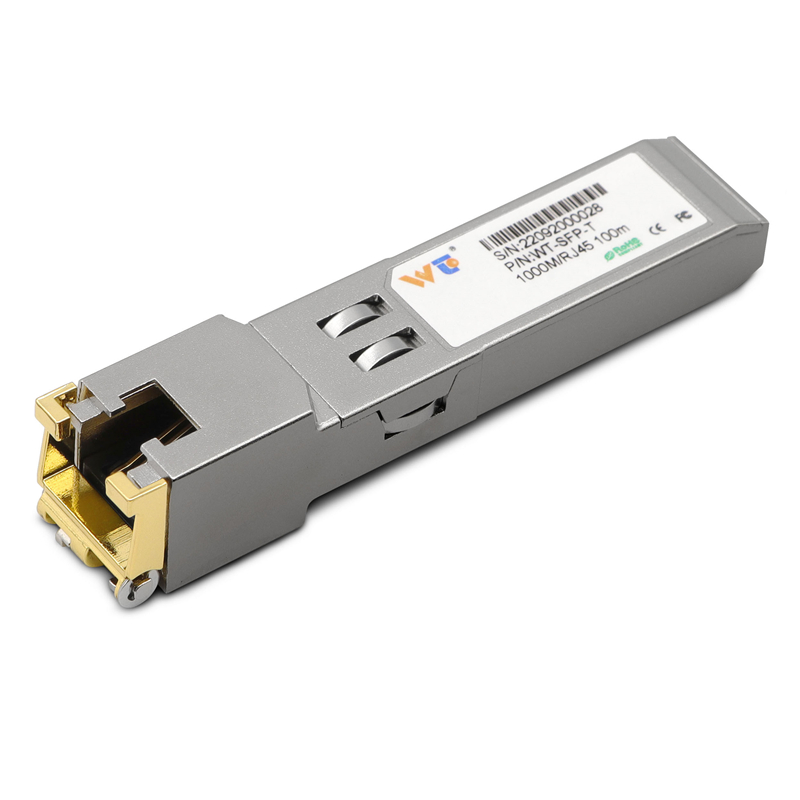
Racks packed with blade chassis get hot fast. Fans roar, switch ASICs hit limits, and the whole system starts thermal throttling. It’s a real headache for ops teams trying to squeeze more ports into less space. One straightforward fix that often gets overlooked is swapping in tougher transceivers—think sfp to rj45 transceiver units built for high-density duty. That change alone can cut heat generation at the port, lower failure rates, and keep throughput steady.

Why it happens
Blade chassis cram lots of ports close together. High port density raises local power and heat. Add a few heavy flows using link aggregation and the SFP modules feeding those ports work harder. Copper SFPs pull more current than passive fiber in some setups, and poor airflow makes things worse. Data centers already draw serious power—about 1% of global electricity usage is attributed to data centers—so small efficiency wins matter. Throw in hot aisles and you’ve got a throttling event waiting to happen.
Concrete fixes that work
Start with the transceivers. Choose SFP module variants rated for higher operating temps and better heat dissipation. Copper SFPs with robust casings and thermal pads lower junction temps. Then sort airflow: install baffles, clear cable bundles, and keep intake vents clear. Use chassis with hot-swap trays so you can replace a noisy module fast without downtime. Finally, balance traffic; move heavy east-west flows off the hottest switches to spread the heat load.
What people screw up — common mistakes
Operators often chase bigger fans or higher-rated PSU units first. That helps, sure, but it ignores the smallest heat sources: the modules themselves. Another mistake is mixing cheap third-party SFPs without verifying thermal specs. You save money now and pay in replacements later. Also, neglecting port-level monitoring is common — you need per-port telemetry to spot rising temperature trends before throttling hits. — A quick log check every week beats emergency swaps on a Friday night.
Picking hardware without guesswork
When choosing gear, look at three things on the spec sheet: operating temperature range, power draw at full line rate, and physical thermal design. Prefer copper SFPs that list sustained power consumption under typical workloads, not just peak. Match those specs to your chassis’ airflow rating. If you use gigabit links, consider a gigabit rj45 copper sfp transceiver module rated for continuous operation at elevated temps. Also, check hot-swap compatibility and whether the switch firmware exposes module sensors; those sensors are gold for ops.
Quick setup checklist
Do these steps in order: replace suspect SFPs with rugged copper SFPs, tidy cable runs, install airflow guides, enable port telemetry, and rebalance heavy flows. Keep spare hot-swap modules on the shelf that match your switch vendor. Use link aggregation smartly to avoid loading a single ASIC die. Small changes add up—reduced thermal throttling, fewer link drops, and steadier throughput.
Golden rules for evaluation
Use these three metrics when you pick components or tune chassis:
– Thermal resilience: rated operating temperature and sustained power at line rate.
– Power efficiency: measured watts per port under realistic traffic patterns.
– Observability: availability of per-port temperature and power telemetry from the SFP and switch.
Follow those rules and you’ll cut incidents and keep density where it belongs—on the floor, not in maintenance tickets. Final thought—simple parts done right save time and cash. WINTOP.