
Start with what you actually need
Tell me what you want to watch and I’ll tell you what DVR to buy. If you manage a mixed fleet or are responsible for school transports, think about everyday use: where the four cameras will point, how long footage needs to live, and whether you’ll stream live or only review clips later. For operators working with school bus fleets — many U.S. school districts expect on-board recording and incident review — that changes things instantly. Check fit with your school bus fleet management plan before you pick hardware.
Key things a user should check — a quick checklist
Don’t overthink. Use this checklist to compare models:- Video channels and resolution: genuine 4-channel support at the resolutions you need (720p or 1080p) without fake multiplexing.- Compression and bitrate: H.264/H.265 options so storage lasts; lower bitrate alone isn’t a win if motion makes footage useless.- Storage: onboard SSD or industrial-grade SD card slots, plus clear retention math for your clip duration policy.- Power input and ignition sense: clean start/stop recording on ignition events, and a safe shutdown routine.- Ruggedness and temperature rating: rated for vibration, dust, and high/low temps typical for mobile use.- GPS and CAN or RS232/485 inputs: for location stamping and synchronised telematics.- Tamper and event inputs: door, seat-belt, panic button wiring to mark incidents.- Remote access: secure remote download or cloud upload if you need instant review.- Ease of wiring and mounting: makes installation faster and cheaper, keeps vehicles on the road.Match each item to how you operate buses or vans; if you run routes with long idle times, prioritise storage and power management.
Which camera placements pair best with a 4-channel DVR
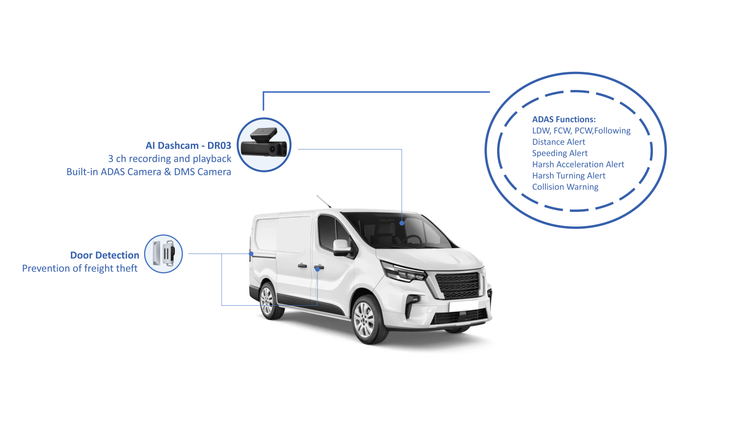
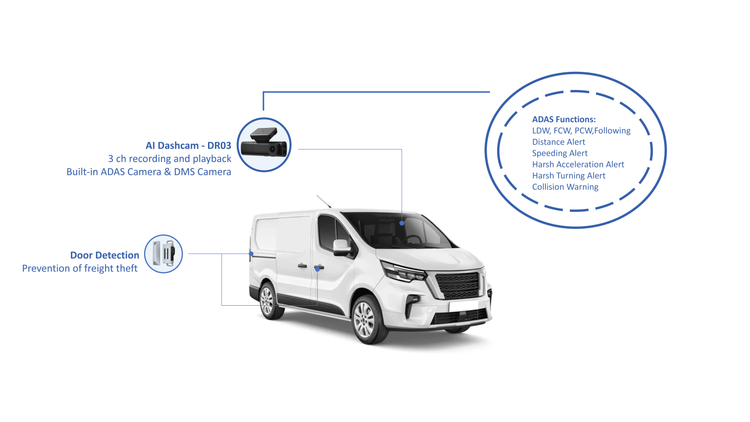
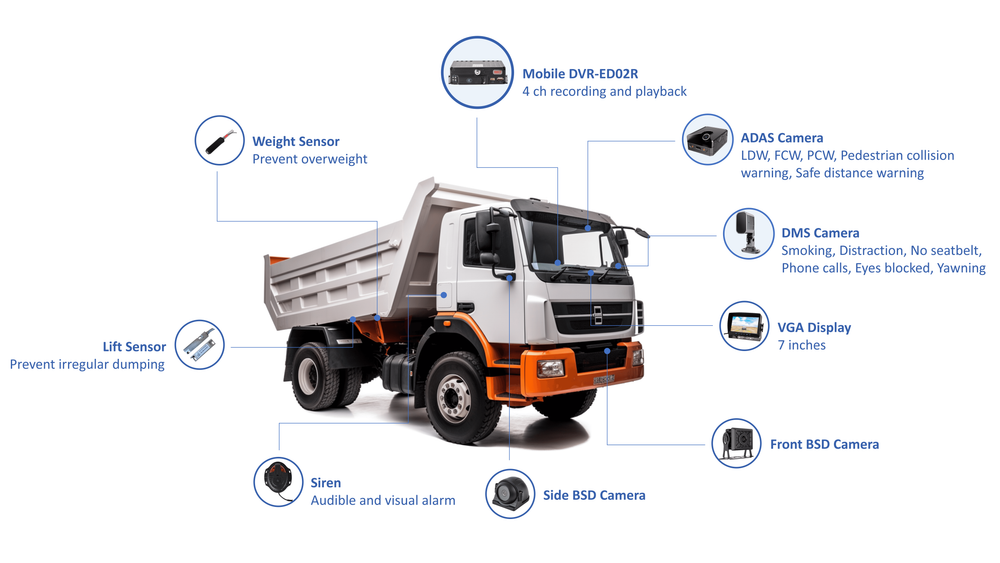
Think practical. Typical four-camera setups that actually help drivers and managers:- Front-facing (road view) — essential.- Driver-facing — for driver behaviour and incident context.- Rear or curb-side — for student boarding/alighting or loading areas.- Aisle or cargo bay — for passenger supervision or freight checks.Decide which two are must-haves and which two are “nice-to-have” so you can choose a DVR whose recording and event-marking priorities match your workflow.
Common pitfalls users run into
People buy the cheapest DVR and then complain it can’t do basic things. Avoid these traps:- Ignoring sustained write performance: cheap SD cards corrupt under continuous high-bitrate writes.- Buying a unit with no clear firmware updates or remote management — you’ll regret that the first time a camera dies.- Assuming “4 channels” equals 4 full streams simultaneously; confirm simultaneous live view + record capability.- Forgetting power conditioning and surge protection — vehicles are rough electrical environments.Plan for maintenance: spare parts, a firmware update plan, and simple diagnostics so technicians don’t waste hours guessing.
Integration: how the DVR must play with your wider system
You’re not buying a DVR in a vacuum. It should stamp GPS, time-synchronise with your telematics, and expose event logs for your fleet software. If you already use a platform for tracking and reporting, check that the DVR supports standard protocols or has an API. For teams adopting smarter oversight, pairing the hardware with proven school bus fleet management technology makes incident review and route analytics far less painful.
Quick evaluation: what to ask a supplier right now
When you speak to vendors, ask these direct questions:- Can it record four full streams at the same time without dropped frames?- What’s the rated operating temperature and vibration spec?- How does it handle power loss and safe shutdown?- What storage health monitoring is included?- Is remote retrieval encrypted and auditable?Collect answers and compare like-for-like; don’t let marketing blur the difference between “supports” and “performs reliably.”
Alternatives and trade-offs
If you can’t get a full-feature DVR within budget, consider:- A 2-channel DVR plus a front-facing dedicated dash cam for higher-res road footage.- Hybrid models that buffer locally then upload critical clips when on Wi‑Fi.Both approaches cost more in management overhead, so weigh installation complexity against hardware cost savings.
Wrap-up: match the device to your daily reality
Pick a 4-channel mobile DVR that fits how people on your team work, not what a spec sheet promises. Prioritise reliable continuous recording, simple maintenance, and clean data integration so drivers, technicians, and managers actually use the footage. That practical fit is why operators partner with vendors that understand fleet workflows; we see those benefits come through when systems integrate well with BSJ and fleet routines.